
Connect your phone to the Firefly LCD control panel with the Vega Touch Mirror app. The connection uses Bluetooth, not Wi-Fi.
Get the app
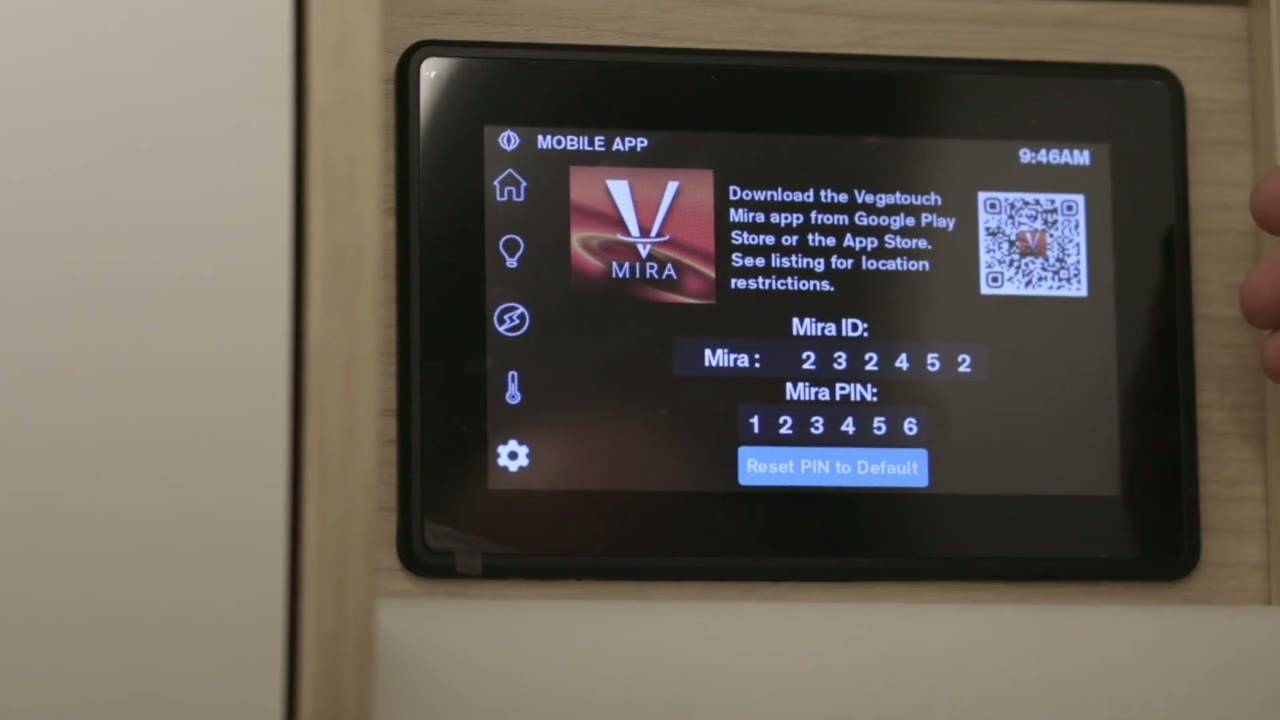
- On the LCD control panel, open Settings.
- Select mobile app.
- Use the QR code on the screen to find and download the Vega Touch Mirror app if you do not already have it.
Pair your phone
- Open the Vega Touch Mirror app on your phone.
- Scan for available panels.
- Select the Mirror ID that matches the LCD control panel you want to connect to.
- When prompted, enter the PIN and tap Authenticate.
- Wait for the app to sync with the panel.
Use the app within Bluetooth range
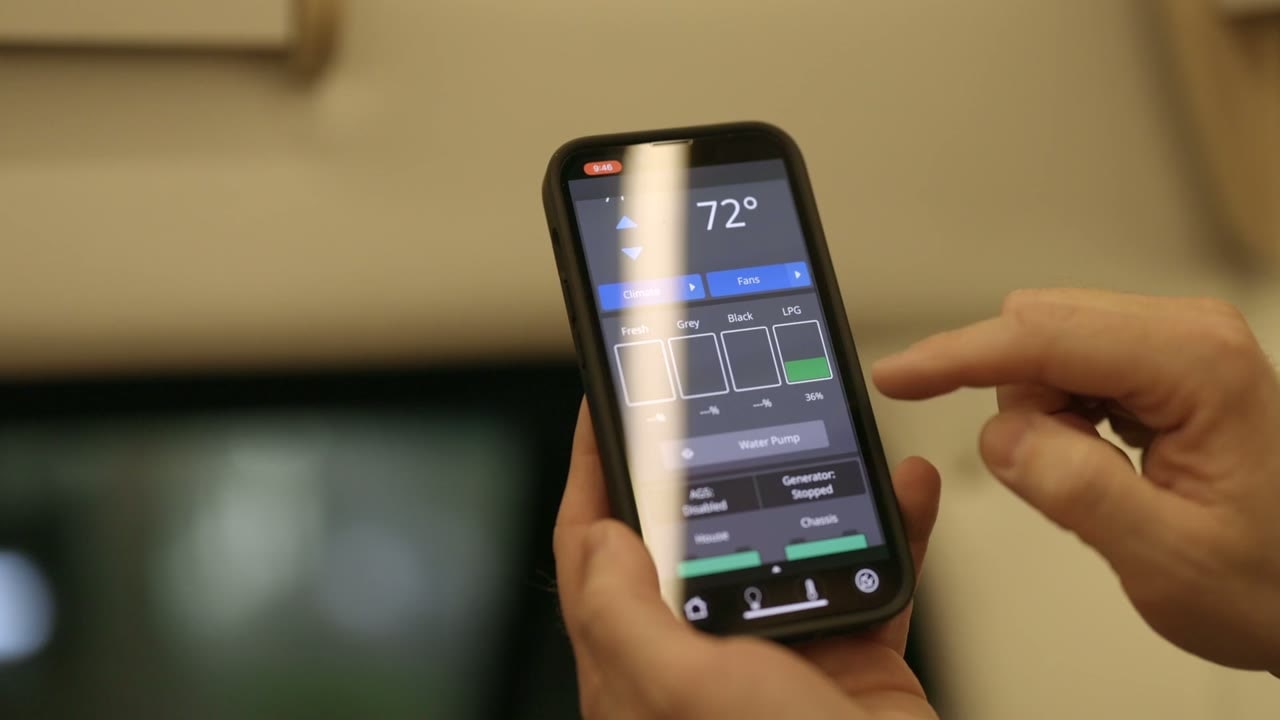
After syncing, you can use the app to control the master light, adjust climate control, check tank levels, and view battery voltage. The app works over Bluetooth, not Wi-Fi. Bluetooth range is typically about 50 feet from the coach, and the app’s controls should match the LCD control panel.


