
On Leisure Travel Vans equipped with the Firefly tank sensor system, a reading may be inaccurate when a tank is completely empty or completely full. Keep the system on while filling or draining so it can track the changing level.
Check the tank sensor diagnostics
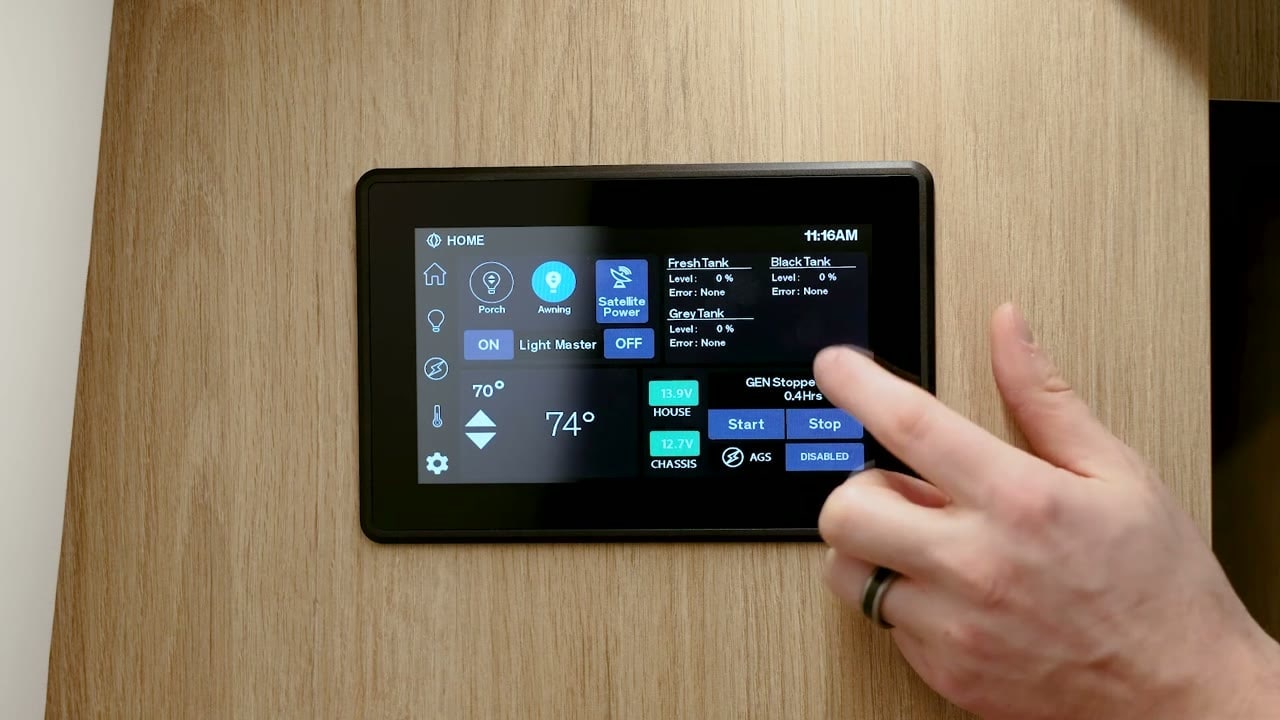 Press and hold the tank levels button for about 5 seconds, then release it.
- Check the displayed tank level percentage and whether an error appears.
- To return to the other screen, press and hold the tank levels button again for about 5 seconds.
Keep the Firefly system on while filling and draining
Leave the Firefly system on while you fill or empty a tank. This lets the system track the level as it changes and remember the tank's full or empty state. If the system is off during the change, it may retain the last known level.
Help a tank sensor reset
- Turn the Firefly system on.
- If the tank is empty, add a little water. About 5 gallons may help the sensor detect the water level.
- If the tank is full, drain a little so the sensor can detect the water-air boundary.
- Check the tank level reading again.
The ultrasonic sensors look for the point where water and air meet inside the tank. At a completely empty or full level, the system may not detect that boundary and may show an empty reading, around 10%, or NA.


