
The Dometic Series 10 refrigerator discussed here is used in Leisure Travel Vans Unity and Wonder motorhomes. Use its control dial and button to select power, adjust the temperature, or turn the refrigerator off.
Choose a power source
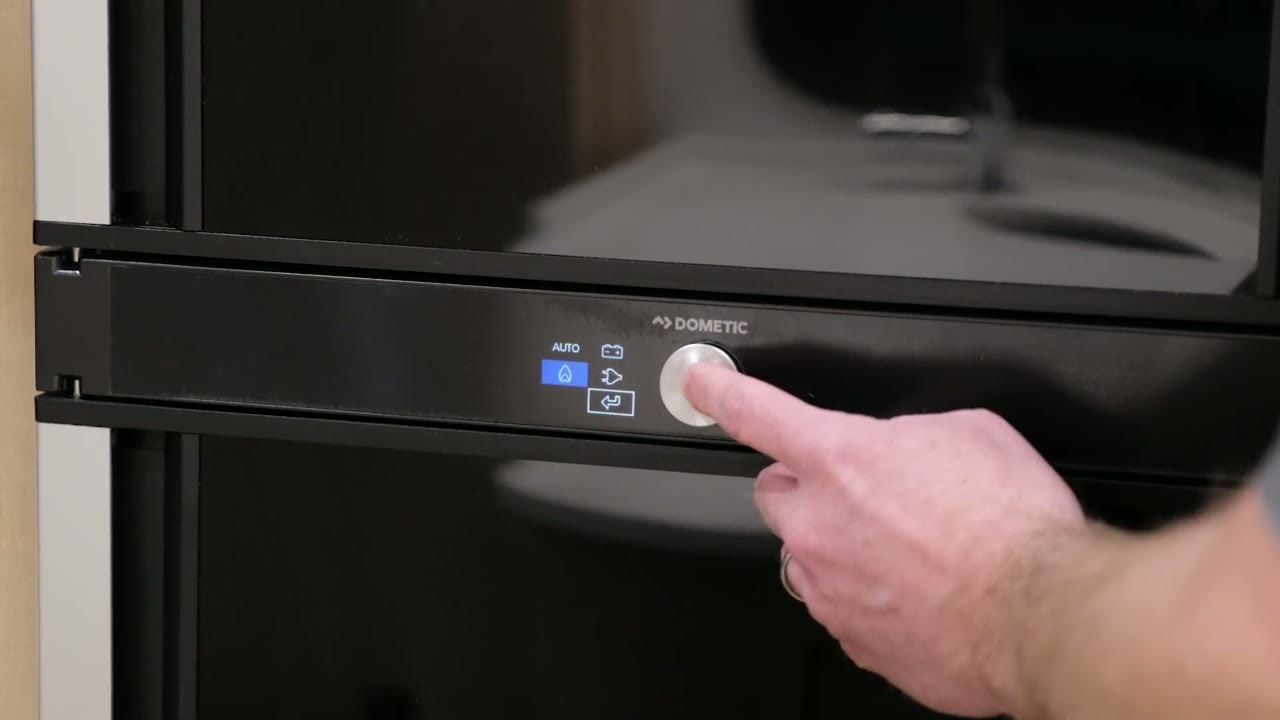
Press the control button to open the settings.
Turn the dial to cycle through the power options: Auto, propane, 120V AC, or the battery symbol for 12V DC.
Press the arrow button to confirm your choice.
Auto is the preferred setting. It uses 120V AC when shore power is available. When the chassis is running, an ignition signal switches the refrigerator to 12V DC. When you unplug from shore power, Auto can switch to propane.
Adjust the temperature
Press the control button until the temperature setting appears.
Turn the dial to raise or lower the setting.
The temperature setting applies to both the refrigerator and freezer.
Respond to an alarm
An alarm can indicate that the door is open or that the refrigerator cannot ignite on propane. If you are using propane, check that it is turned on. To reset the alarm, press and hold the control button for two seconds.
Turn off and store the refrigerator
Press and hold the control dial for five seconds to turn the refrigerator off.
Remove all food before putting the refrigerator into storage.
Use the storage tabs to hold the refrigerator and freezer doors slightly open. This allows air to circulate inside.
Keep the exterior vents clear
Keep the refrigerator’s exterior sidewall vents clear. The vent area can also be cleaned periodically.


