
Use the Firefly LCD panel to check for an unpaired switch or a low battery. Replace the battery, then pair the switch again if needed.
Check panel and battery status
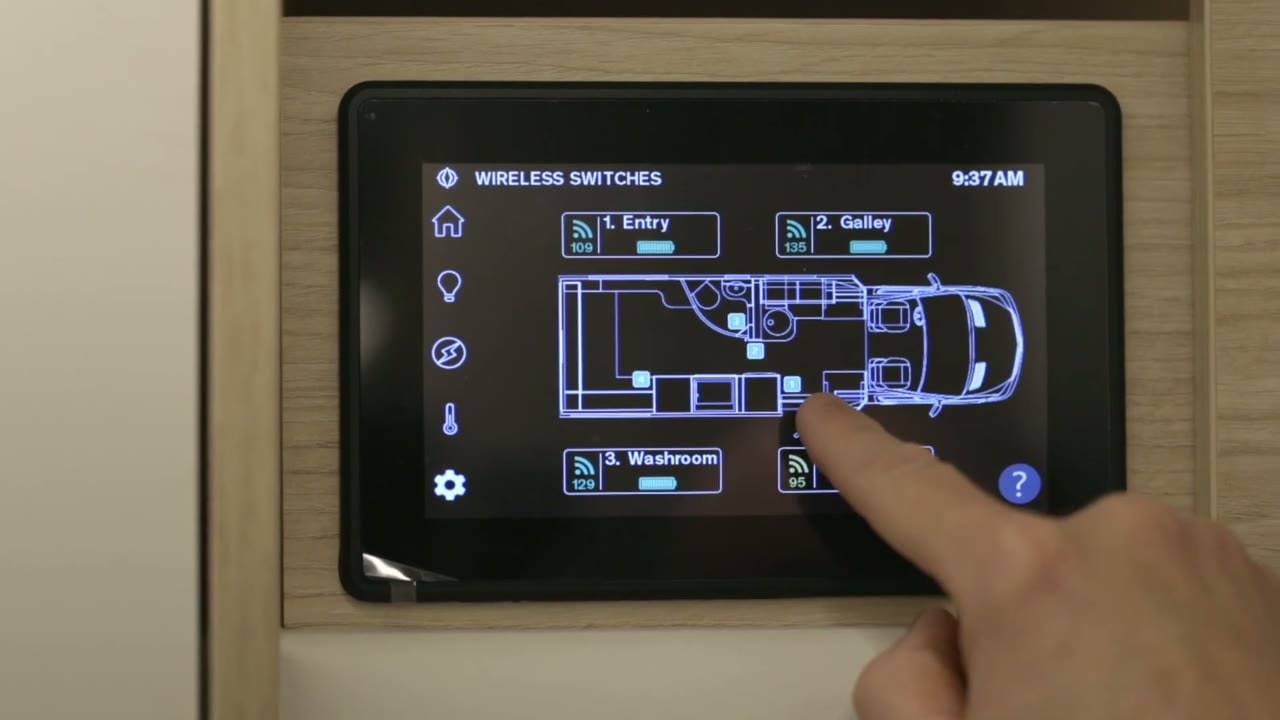 Open Settings and select Switch Panel.
- Check the floor plan to identify the panel. A red battery symbol indicates that its battery is low.
Replace a surface-mount panel battery
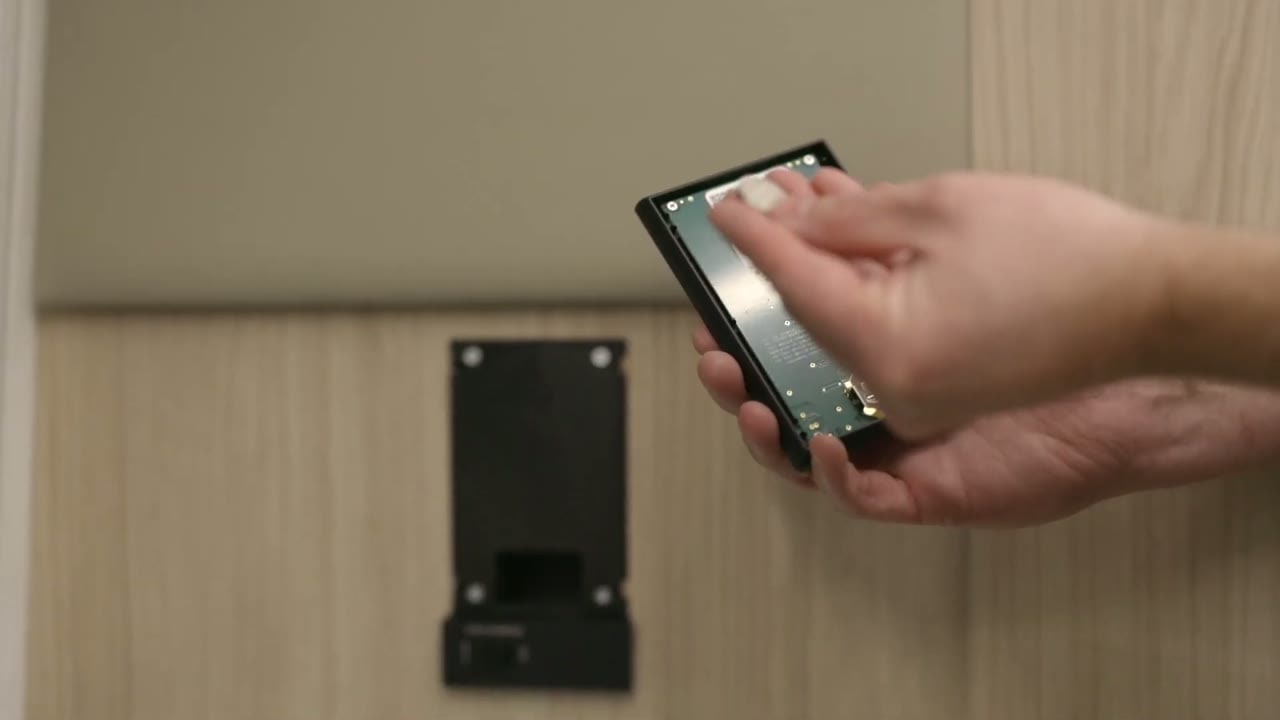 Grip the panel at the side and pull it off. Clips hold the panel in place.
- Remove the button-cell battery from the back of the panel.
- Slide in a new CR2032 3V battery with the positive side facing up.
- Line up the panel and clip all four corners back into place.
Access a flush-mount panel battery
- Reach behind the panel at its access points and pull the panel off.
- Access the battery once the panel is off. Replace it with a CR2032 3V battery, positive side up.
Pair a switch panel
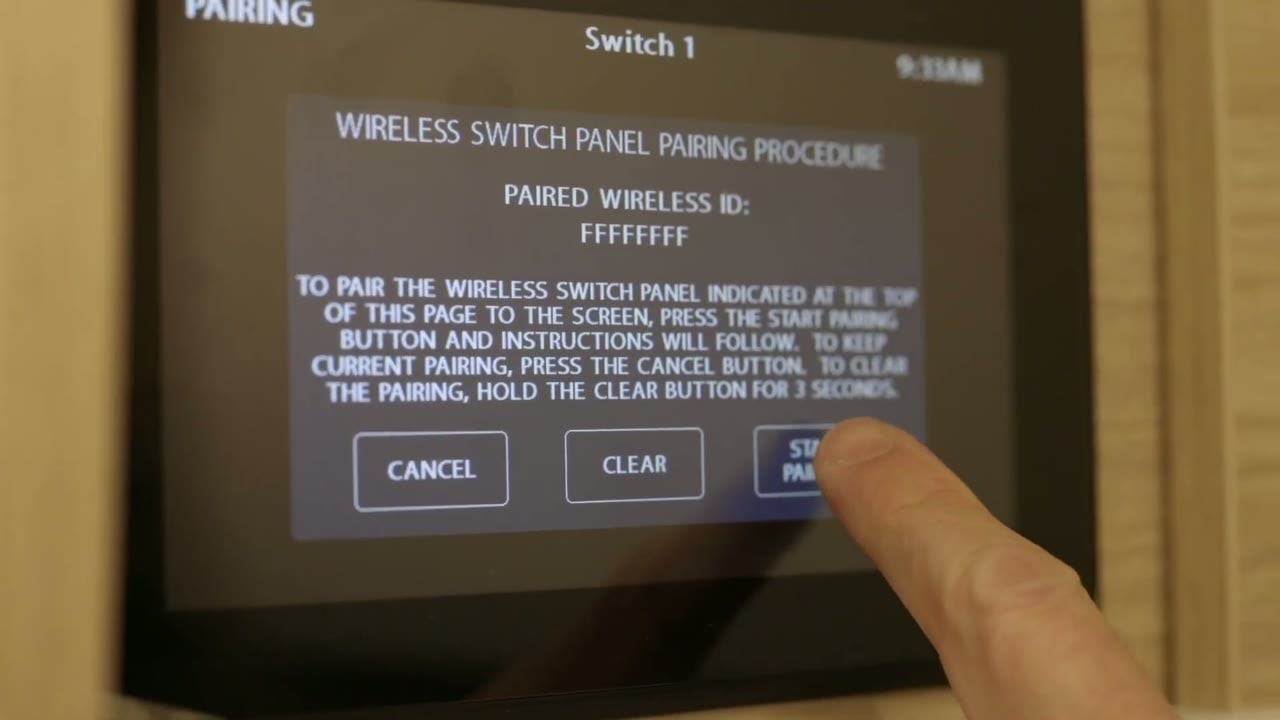 On the LCD panel, open Settings and select Switch Panel. Check the floor plan to identify a panel that is not paired.
- Press On on the entry switch, then select Start Pairing.
- Within about 30 seconds, press and hold any two buttons on the switch panel.
- When the LCD panel confirms pairing, select Done.
- Check the signal indicator. It may take a few minutes to turn green. Test the switch to confirm it works.
The panel status also shows signal strength and battery condition.


